DxO PureRAW — A Better Starting Point?
PureRAW doesn’t change how I edit, but it gives me a cleaner, more detailed starting point—especially in difficult light where shadow detail and noise matter most.
DxO PureRAW — A Better Starting Point?
DxO reached out to me to see if I wanted to try some of their software. If I’m perfectly honest, I had heard of DxO, but I didn’t have any real experience with their products.
I was most interested in trying out PhotoLab and PureRAW. I haven’t explored PhotoLab yet, but I’ve spent some time with PureRAW—and in summary, it looks like something that will fit into my workflow.
Before going any further, it’s worth saying this isn’t a technical review. I’m not particularly interested in what’s happening under the bonnet.
It might as well be some kind of magic. What I care about is what comes out the other end, and whether it gives me a better starting point to work from.
What Is PureRAW?
In simple terms, PureRAW converts your camera RAW files into linear DNG files, giving you what should be the best possible starting point before you begin editing.
It can be used as a standalone application or as a Lightroom plugin. I’ve been using it as a plugin, which fits naturally into how I already work.
Under the bonnet, it uses AI-driven algorithms to denoise, demosaic, and apply optical corrections. It also downloads camera and lens profiles when needed, which helps refine the output further.
First Impressions
I tried Capture One last year and was impressed with its RAW processing, but I found the overall experience a bit clunky compared to Lightroom.
PureRAW feels different. It’s focused. It does one job—and it does it well.
From the start, I was impressed. The files coming out of PureRAW felt cleaner, with more detail and better handling of shadows.
Shadows and Detail
One of the things I noticed quite quickly was how shadows were handled.
In Lightroom, I’ve often found that lifting shadows too far can lead to images looking muddy or noisy. It’s something I tend to avoid—not because I can’t do it, but because it often starts to look unnatural.
With PureRAW, the shadows felt cleaner. Not dramatically brighter, but better resolved. There was less noise, and more usable detail if I needed it.
It didn’t change how I edit—I’m still careful not to overdo it—but it did give me more confidence in the file. It feels like a better starting point rather than something that changes my style.
Colour and the “Mind’s Eye”
Colour is always subjective, and I’m not entirely sure which version is more technically accurate. But in the images I saw, I preferred what PureRAW produced.
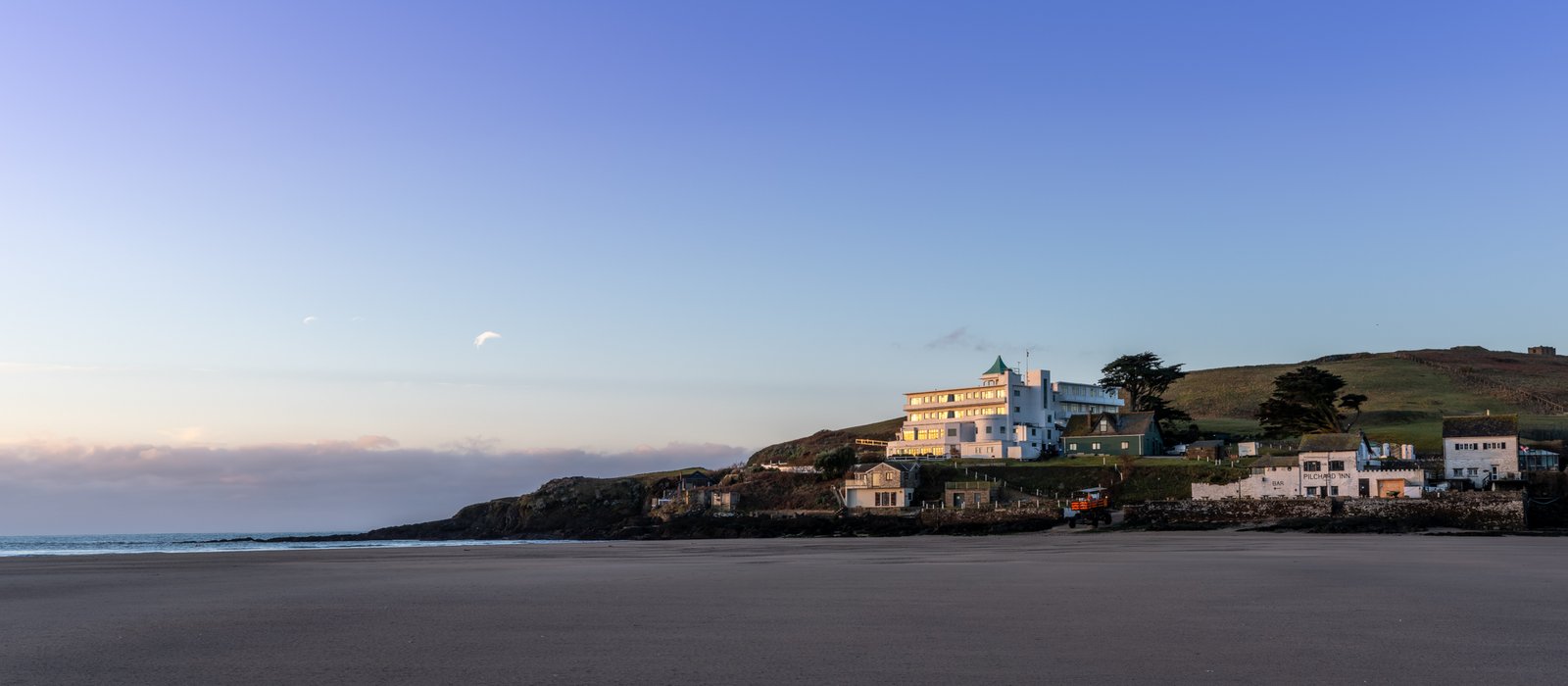
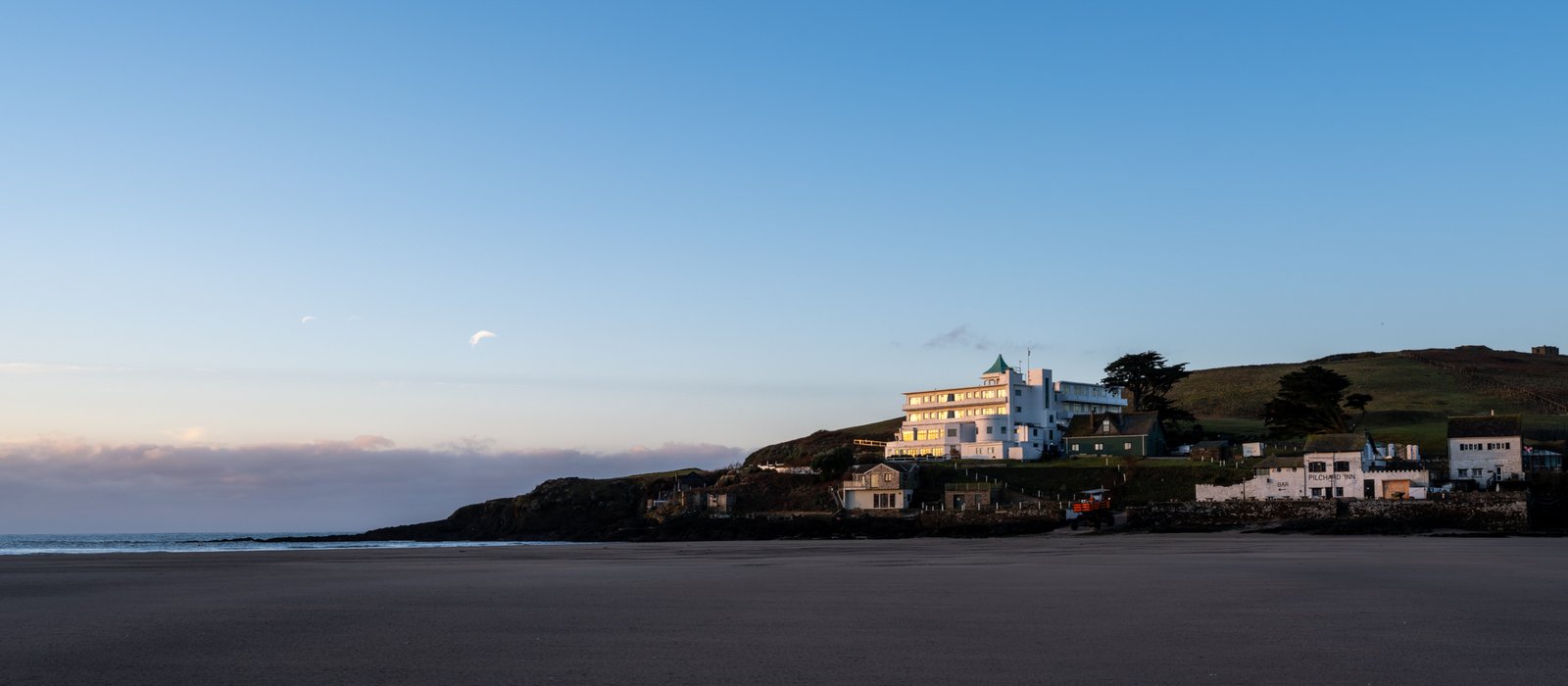
A good example is a sunrise shot of Burgh Island. The sky had more pink and warmth in the PureRAW version—closer to how I remember the moment, or perhaps more accurately, how I felt it.
It reminded me slightly of a Velvia-style rendering. Not identical, but with that same sense of warmth and richness.
Althoughit is probably lost on the website due to compression the top image processed on DXO Pureraw has more pleasing colours, better detail and more prefferable colours to the image below.
Subtle vs Noticeable Improvements
With my GFX files in good light, the increase in detail is there—but it’s subtle. You have to look a bit closer to see it.
In more challenging conditions, the difference becomes much more obvious. Shadow areas are cleaner, noise is reduced, and detail holds together better without needing to zoom in to notice it.
That’s really where PureRAW stands out.
Medium Format Files
With my GFX files, the improvements felt more about refinement than transformation.
The files look cleaner overall, with less of that slightly “mushy” look that can sometimes appear in fine detail. It’s not a dramatic change in good light, but it’s there.
In more difficult lighting, though, the benefit becomes far more noticeable—particularly in shadow areas.
Revisiting Older Images
One unexpected benefit was looking back at older files.
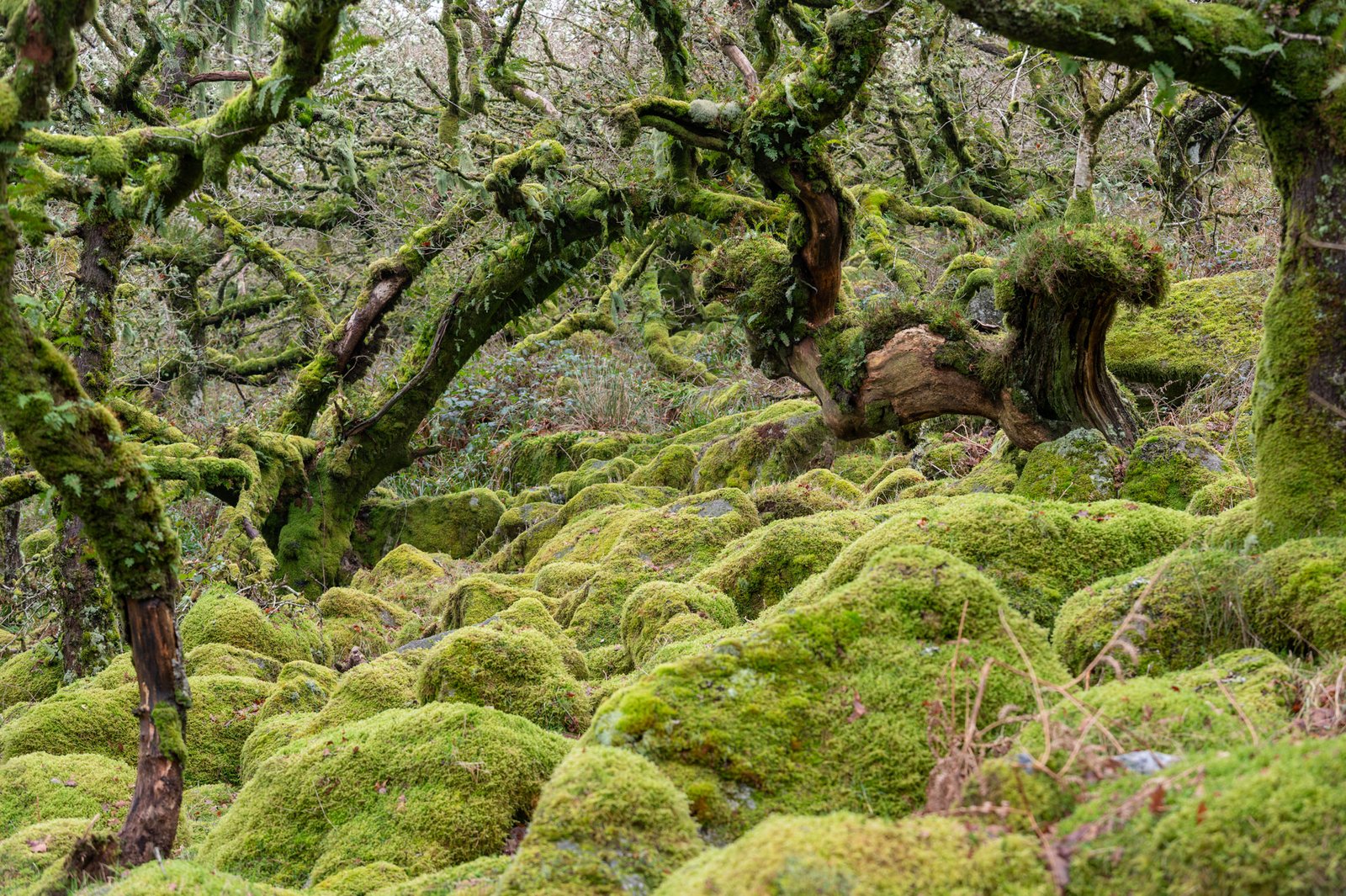
I revisited some Nikon Z6 images from Wistman’s Wood—files I had already processed and was happy with. Running them through PureRAW and comparing the results, the improvement in detail was impressive, even from the DNGs.
It’s not that the original edits were bad, but the PureRAW versions felt cleaner and more refined. It’s made me want to go back through older work and see what else can be improved.
For me, that says a lot. I don’t often revisit finished images.
Performance
Processing speed will depend on your system, but on my Mac Mini M4 Pro with 64GB RAM:
- GFX files took around 15–20 seconds
- Z6 files took around 3–5 seconds
You can batch process images, and importantly, it doesn’t overwrite your original RAW files.
How I’d Use It
In practice, I won’t be running every image through PureRAW.
My workflow will likely be:
- Import images into Lightroom as normal
- Cull and select the images I want to work on
- Batch process those selected images through PureRAW
Even in good light, there’s a benefit—images feel a little less “mushy” and more refined—but the biggest gains come in more challenging conditions.
Lightroom vs PureRAW
Lightroom is still a brilliant tool. It suits my workflow, and I have no intention of moving away from it.
But it isn’t perfect.
PureRAW seems to address something I’ve always felt could be improved—how RAW files are initially interpreted. It doesn’t replace Lightroom; it just gives it a better starting point to work from.
If someone is happy with Lightroom, that’s completely valid. But for me, PureRAW improves an area that I didn’t realise could be pushed a bit further.
Why I Won’t Use It for Film
For digital work, I’m always trying to get the best possible starting point.
Film is different.
If I had my way, everything would be done in the darkroom. That’s part of the appeal. The imperfections, the grain, the character—they’re not problems to fix.
Using something like PureRAW on film scans would feel like it goes against that process. It would likely remove some of the character that I actually want to keep.
Final Thoughts
PureRAW hasn’t changed how I edit, and it hasn’t changed how I see photography.
What it has done is give me a better starting point.
In good conditions, the improvements are subtle. In more difficult light, they become much more noticeable—particularly in shadow detail and overall clarity.
It’s not something I’ll use on every image, but it’s something I’ll use on the images that matter.
And perhaps more importantly, it’s made me look back at older work with fresh eyes.
0 Comments